


Angular のngFor ディレクティブの使い方
AngularにはngForディレクティブというディレクティブが標準で用意されています。
for文でループする機能です。記述方法は以下の通りです。
<xxx *ngFor='let 仮引数 of コンポーネントのプロパティ'>
具体的には
<div *ngFor='let tmp of list>~</div>
というように記述します。
dell.component.ts
import { Component, OnInit } from '@angular/core';

@Component({
  selector: 'app-dell',
  templateUrl: './dell.component.html',
  styleUrls: ['./dell.component.css']
})
export class DellComponent implements OnInit {
  constructor() { }
  public readonly list = [// listプロパティ
    {'a':'aaa','b':'test1'},
    {'a':'bbb','b':'test2'},
    {'a':'ccc','b':'test3'}
  ];
  ngOnInit() {
  }
}
dell.component.html
<table>
  <tr *ngFor='let tmp of list'> <!-- コンポーネントのlistプロパティ -->
    <td>{{tmp.a}}</td>
    <td>{{tmp.b}}</td>
  </tr>
</table>
以下のように表示されます。
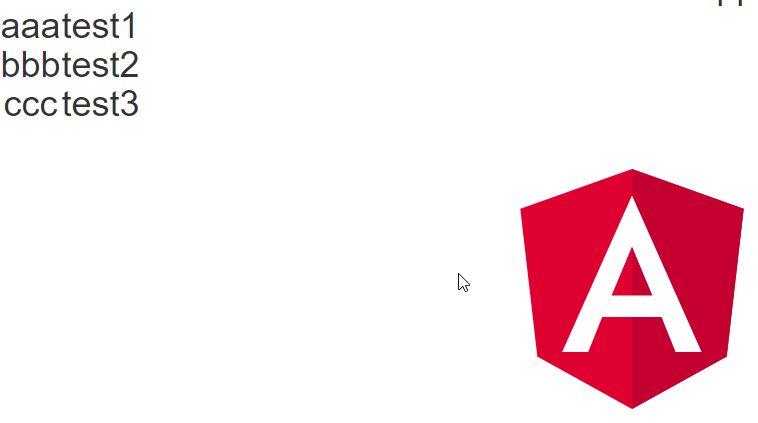
詳細は「AngularとTypeScriptでSPAを作成する」を参照ください。
Reactive Formsで検索する
人間のリストを作成してReactive Formsから検索して検索結果をngForディレクティブでフィルターしてレンダリングしてみます。
インタフェース作成
人間の情報のインタフェース作成します。
$ ng g interface Human
human.ts
export interface Human {
  name: string
  age: number
}
コンポーネント作成
コンポーネント作成します。
$ ng g c human --standalone --skip-tests
human.component.ts
import { Component, Input } from '@angular/core';
import { CommonModule } from '@angular/common';
import { Human } from '../human';

@Component({
  selector: 'app-human',
  standalone: true,
  imports: [CommonModule],
  templateUrl: './human.component.html',
  styleUrls: ['./human.component.css']
})
export class HumanComponent {
  @Input() humanList!: Human;
}
human.component.html
<div>
<p>
Name:{{humanList.name}}<br>
Age:{{humanList.age}}<br>
</p>
</div>
app.component.tsとapp.component.htmlを編集します。
app.component.ts
人間のリストはinitDataとして定義しています。
import { Component } from '@angular/core';
import { CommonModule } from '@angular/common';
import { FormControl, FormGroup, ReactiveFormsModule } from '@angular/forms';
import { HumanComponent } from './human/human.component';
import { Human } from './human';

@Component({
selector: 'app-root',
standalone: true,
imports: [CommonModule, ReactiveFormsModule,HumanComponent],
templateUrl: './app.component.html',
styleUrls: ['./app.component.css']
})
export class AppComponent {
title = 'reactive-test';
initData: Human[] = [
{name:'takahashi',age:20},
{name:'yamada',age:30},
{name:'sakamoto',age:40}
]
  filterData: Human[] = this.initData

  formData = new FormGroup({
    search: new FormControl('')
  });

  search(name: string) {
    this.filterData = this.initData.filter(d=>d.name.includes(name))
  }
}
app.component.html
テンプレート参照変数(#x)を使用して入力部品の値を、searchメソッドの引数に渡します。
<form [formGroup]="formData" (submit)="search(x.value)">
<label for="search">Name</label>
<input id="search" type="text" #x formControlName="search">
<br>
<button type="submit">search now!</button>
</form>
<app-human *ngFor="let xx of filterData" [humanList]="xx">
</app-human>
ローカル起動します。
$ng s --open


GitHub - takahashi-h5/reactive-test: reactive-test
reactive-test. Contribute to takahashi-h5/reactive-test development by creating an account on GitHub.
github.com

KHI入社して退社。今はCONFRAGEで正社員です。関西で140-170/80~120万から受け付けております^^
得意技はJS(ES20xx),Java,AWSの大体のリソースです
コメントはやさしくお願いいたします^^
座右の銘は、「狭き門より入れ」「願わくは、我に七難八苦を与えたまえ」です^^


コメント