


How to connect to PostgreSQL with Spring JPA
How to connect to PostgreSQL with Spring JPA.
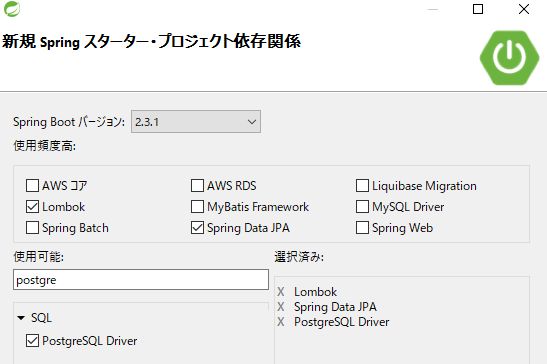
Add the following in the STS starter project
Specify the DataSource in application.yaml. Here, DB=postgres,username=postgres,password=postgres. 5432 is the default port for PostgreSQL.
spring:
  datasource:
    url: jdbc:postgresql://localhost:5432/postgres
    username: postgres
    password: postgres
Now start the Spring Application. It is OK if the following is displayed in the console when the application is launched.
Initialized JPA EntityManagerFactory for persistence unit 'default'
Spring Data repositories initialized!
If you prepare an entity class for a repository interface or table with @Repository annotation, you can manipulate the table.
GitHub - takahashi-h5/jpa-postgresql
Contribute to takahashi-h5/jpa-postgresql development by creating an account on GitHub.
github.com


コメント