


Multiple Lambda Deployment with ServerlessFramework
To deploy multiple Labmda deployments, serverless.yml must be configured.
The project configuration is as follows
Project
├─.serverless
├─.vscode
└─src
    ├─common ・・・common file
    ├・・・handler1.js
    └・・・handler2.js
Create two Lambdas as follows
- lambda1.jsとcommon // Zip the complete set of sources under
- lambda2.jsとcommon // Zip the complete set of sources under
serverless.yml
Modify serverless.yml.
service: sample
frameworkVersion: '3'

package:
  individually: true
  exclude:
    - src/**
  include:
    - src/common/**
  excludeDevDependencies: true

provider:
  name: aws
  runtime: nodejs16.x
  stage: dev
  region: ap-northeast-1

functions:
  helloxxx:
    handler: src/lambda1.hello
    package:
      individually: true
      include:
        - src/lambda1.js
  helloyyy:
    handler: src/lambda2.hello
    package:
      individually: true
      include:
        - src/lambda2.js

plugins:
  - serverless-offline
excludeDevDependencies: true to exclude and zip the devDependencies.
serverless package
Create a zip file under the .serverless folder with the sls package command.
$ serverless package
Running "serverless" from node_modules

Packaging sample for stage dev (ap-northeast-1)

✔ Service packaged (18s)

1 deprecation found: run 'serverless doctor' for more details
Two zips will be created under the “.serverless” folder.

The contents of the zip are as intended.

serverless deploy
serverless deploy` with two zips being created.
$ serverless deploy
Running "serverless" from node_modules

Deploying sample to stage dev (ap-northeast-1)

✔ Service deployed to stack sample-dev (135s)

functions:
  helloxxx: sample-dev-helloxxx (1.3 MB)
  helloyyy: sample-dev-helloyyy (1.3 MB)

1 deprecation found: run 'serverless doctor' for more details

Want to ditch CloudWatch? Try our new console: run "serverless --console"
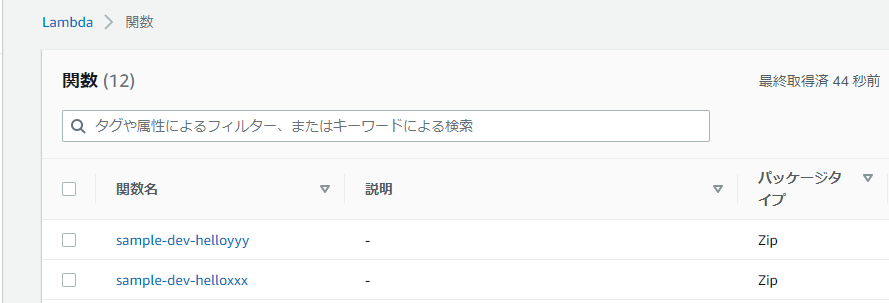
lambda is created.


コメント