


How to use Angular’s ngClass directive
In Angular, there are class bindings and style bindings called style.~ and class.~. ngClass allows you to do the same.
It is possible to attach and detach (apply style on/off).
For more information on class binding and style binding, see “Angular’s Data Binding, a Mechanism”.
The ngClass directive should be used if you want to toggle multiple class attributes on and off.
[ngClass]="{'class属性1': true,'class属性2': false}"
Describe as above.
app.component.ts
import { Component } from '@angular/core';

@Component({
  selector: 'app-root',
  template:
  `
  <table border="1">
    <tr *ngFor="let tmp of List;let i = index"
    (click)="onColor(i)"
    [ngClass]="{'aaa': isColor[i]}">
      <td>{{tmp.name}}</td>
    </tr>
  </table>
  `,
  styles: [`
  tr.aaa{background-color: blue;}
  `]
})
export class AppComponent {
  isColor: boolean[] = [false];
  List = [{'name':'Takahashi'},{'name':'Maruyama'},{'name':'Okuyama'}];
  onColor(i:number) {
    for(let j = 0; j < this.List.length; j++) {
      this.isColor[j] = false;// Set all lines to false once
    }
    this.isColor[i] = true;// True only for clicked rows.
  }
}
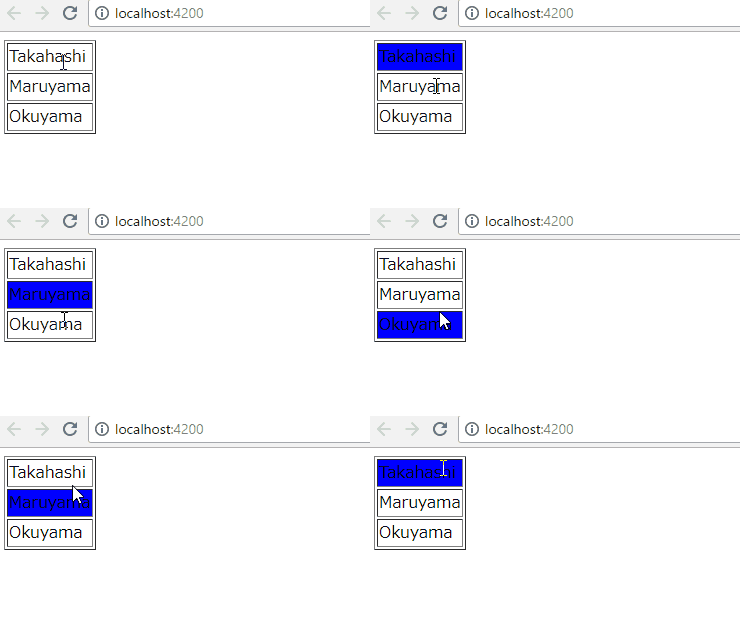


コメント